If you're evaluating a Computerized Maintenance Management System (CMMS) for your facility, one of the first questions you'll ask is: How long is this actually going to take? The honest answer is that it depends - but most CMMS implementations take anywhere from a few weeks to six months, depending on the size of your organization, the complexity of your operations, and how prepared your team is before day one. This guide breaks down the entire CMMS implementation timeline, what happens at each stage, and the factors that will determine whether your rollout is measured in weeks or quarters.
Key Takeaways:
- Most CMMS implementations take 2 weeks to 6 months, depending on organization size, data quality, and complexity.
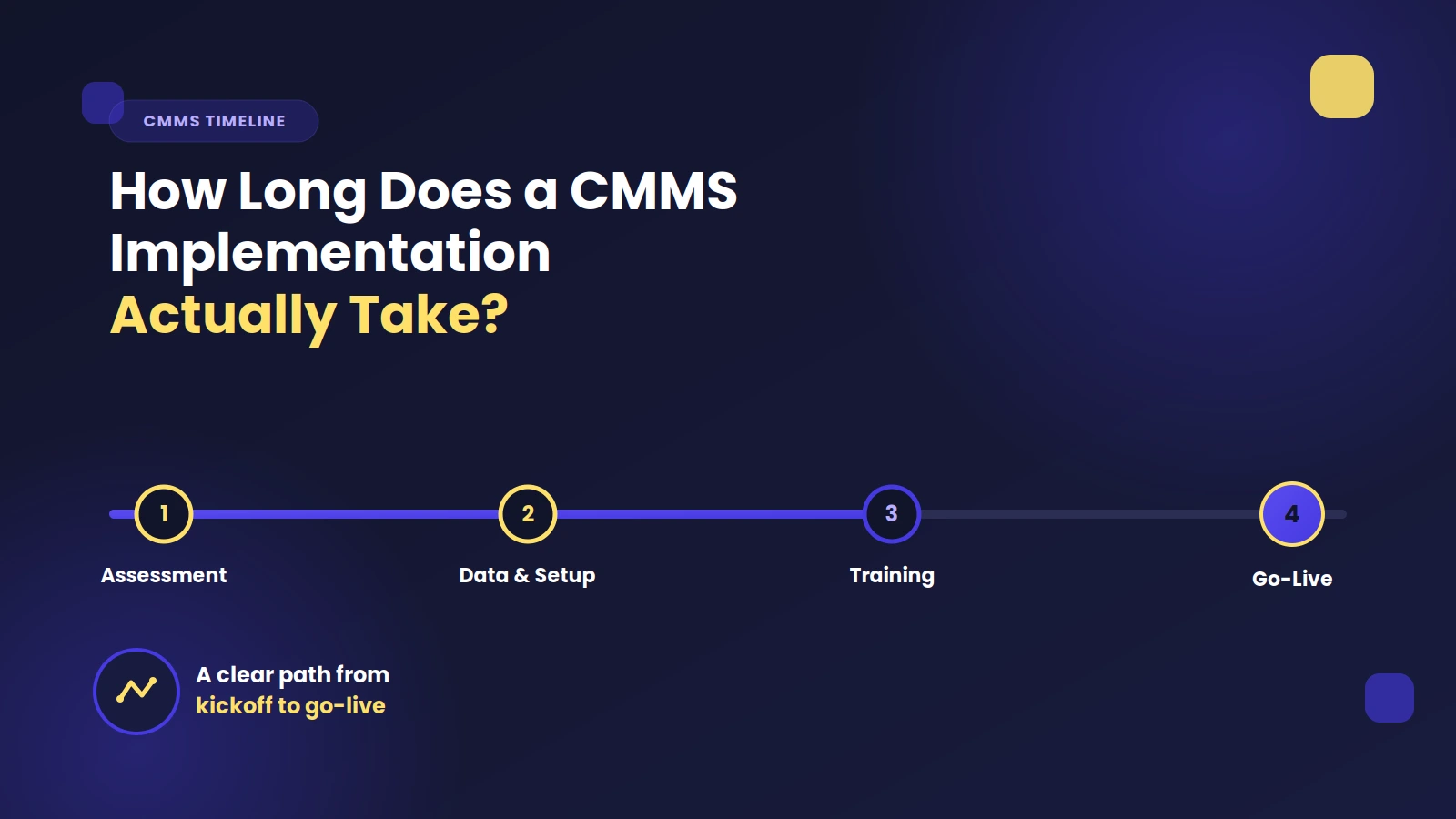
- There are five core phases: Discovery & Planning, Data Migration, System Configuration, Training, and Go-Live & Optimization.
- Data readiness is the biggest wildcard - poor or incomplete asset data is the number one cause of delayed implementations.
- Cloud-based CMMS platforms deploy faster than on-premise solutions and are the standard for most new implementations.
- Training and change management are as important as technical setup - invest in both to maximize ROI and adoption.
- Larger, multi-site organizations should plan for phased rollouts rather than trying to go live everywhere at once.
- Vendor support quality varies - confirm what onboarding assistance is included before you sign a contract.
What Is a CMMS Implementation?
A CMMS implementation is the process of deploying maintenance management software across your organization - configuring it to match your workflows, migrating your existing asset and work order data, training your team, and transitioning away from spreadsheets, paper logs, or legacy systems. It's not just a software install. A successful CMMS implementation involves process design, data preparation, change management, and ongoing optimization. Understanding that scope upfront is the first step toward setting a realistic timeline.
Typical CMMS Implementation Timelines by Organization Size
While every rollout is different, here are realistic benchmarks based on organization size and complexity:
Small Organizations (1–2 sites, under 50 users) Timeline: 2–6 weeks. Small facilities with a limited asset base and straightforward maintenance workflows can often get up and running quickly. Cloud-based CMMS platforms with intuitive interfaces are especially well-suited for fast deployments at this scale.
Mid-Size Organizations (2–10 sites, 50–200 users) Timeline: 6–12 weeks. At this level, you're dealing with more assets, more technicians, and more complex preventive maintenance schedules. Data migration takes longer, and role-based configuration requires more planning.
Large or Enterprise Organizations (10+ sites, 200+ users) Timeline: 3–6 months (or longer). Enterprise CMMS rollouts often involve integrations with ERP systems, IoT sensors, or procurement platforms. Multi-site configuration, custom workflows, and large-scale data migrations all add time. Phased rollouts - launching one site at a time - are common at this scale.
The 5 Phases of a CMMS Implementation
Regardless of your organization's size, most CMMS implementations follow a similar sequence of phases.
Phase 1: Discovery and Planning (1–3 Weeks)
Everything starts with planning. During this phase, your implementation team - typically a mix of maintenance managers, IT staff, and a vendor project manager - works to define the scope of the project.
Key activities include:
- Identifying which assets, locations, and work order types need to be in the system
- Mapping existing maintenance workflows and deciding what to keep or redesign
- Defining user roles and permission structures
- Setting a go-live date and project milestones
Phase 2: Data Collection and Migration (2–6 Weeks)
Data collection is often the most time-consuming phase of any CMMS implementation, and it's frequently underestimated. Before you can use your new system, you need to populate it with accurate data - asset records, equipment hierarchies, parts inventories, maintenance history, and vendor contacts.
If your data currently lives in spreadsheets or a legacy system, it needs to be cleaned, standardized, and imported. Common challenges include:
- Duplicate or incomplete asset records
- Inconsistent naming conventions
- Missing preventive maintenance frequencies or procedures
- Parts data scattered across multiple sources

Phase 3: System Configuration (1–4 Weeks)
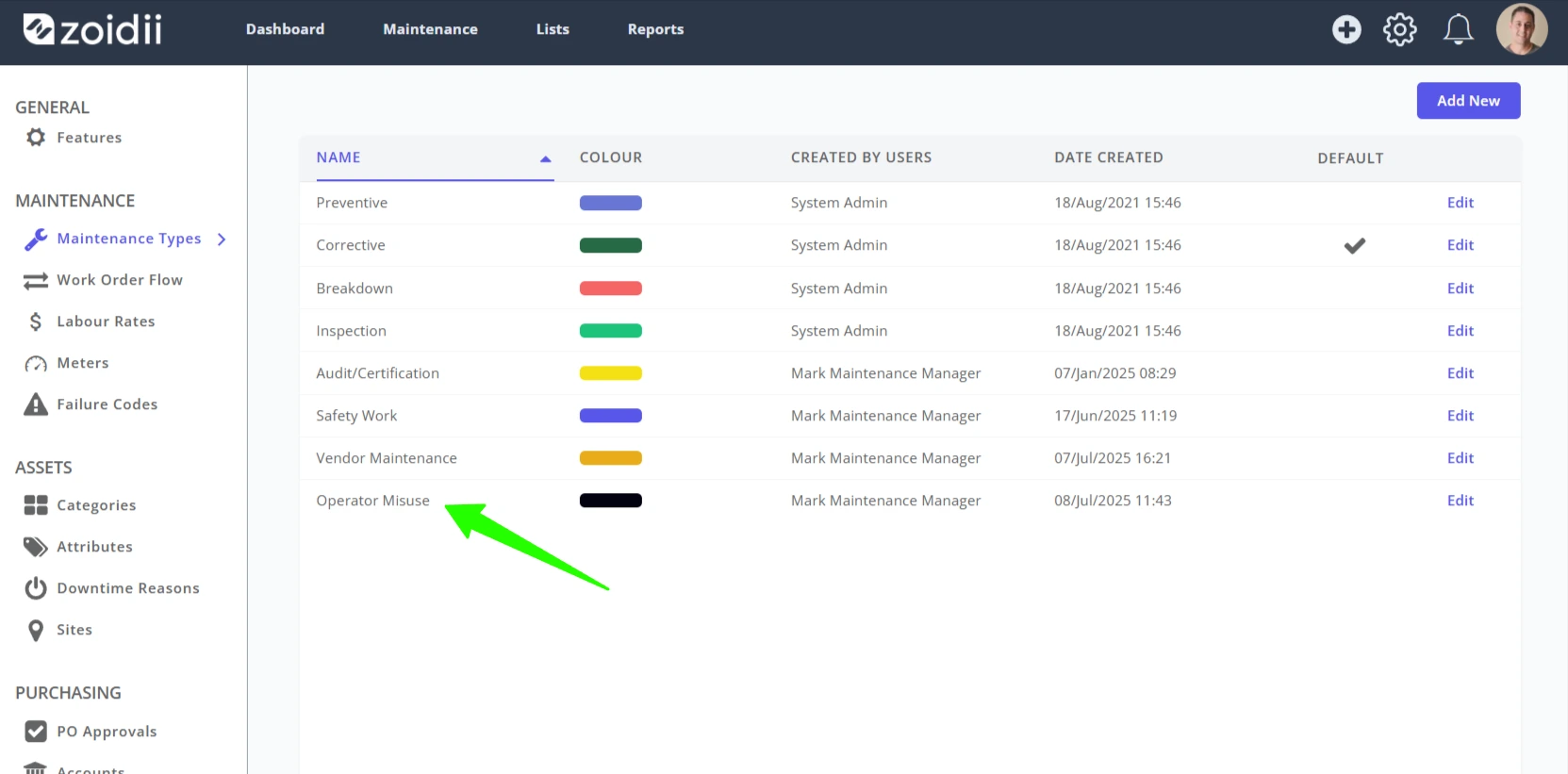
With clean data ready, the system is configured to match your organization's workflows. Configuration includes setting up asset hierarchies, work order types, priority levels, preventive maintenance triggers, notification rules, and asset attributes.
For cloud-based CMMS platforms, much of this configuration is done through intuitive admin interfaces without the need for coding. On-premise solutions or highly customized deployments will naturally require more time and technical resources.
Integrations - connecting your CMMS to an ERP, accounting software, parts ordering system, or building automation system - are typically handled in this phase as well, and can significantly affect the timeline depending on complexity.
Phase 4: Training (1–2 Weeks)
A CMMS is only as good as the people using it. Training is a phase that organizations routinely underinvest in, leading to low adoption and underutilized software after go-live.
Effective CMMS training should be role-specific. Maintenance technicians need to know how to receive and close work orders. Supervisors need to understand how to assign tasks and run reports. Managers need to know how to interpret KPIs and configure preventive maintenance schedules.
Most vendors offer a combination of live training sessions, on-demand video libraries, and knowledge bases. Factor in time for hands-on practice in a sandbox environment before your team goes live in production.
Phase 5: Go-Live and Optimization (Ongoing)
The go-live moment is when your team starts using the CMMS for real work orders, real assets, and real maintenance decisions. Most organizations experience a short adjustment period - typically two to four weeks - where adoption ramps up, data gaps are identified, and workflows are fine-tuned. This phase is also when the ROI of your CMMS implementation starts to become visible: reduced downtime, faster work order completion, better parts availability, and more accurate maintenance history. True optimization, however, is a continuous process. Many organizations revisit their CMMS configuration every six to twelve months to improve as their needs evolve.Key Factors That Affect Your CMMS Implementation Timeline
Understanding the variables that influence your timeline helps you plan more accurately - and avoid surprises.
Data readiness is the single biggest driver of implementation speed. Organizations with clean, well-organized asset data in a structured format can cut weeks off their timeline. Those starting from scratch or working with disorganized legacy data will move more slowly.
The number of sites and assets directly scales with complexity. More locations mean more configuration, more training sessions, and more stakeholders to align.
Integration requirements add technical complexity. Connecting your CMMS to an ERP system like SAP or Oracle, for example, often requires developer time and testing cycles that extend the project.
Internal resources and bandwidth matter enormously. If the person managing your implementation is splitting their time with other responsibilities, progress will be slower. Dedicated project ownership accelerates everything.
Vendor support quality varies widely. Some CMMS vendors offer hands-on implementation services with dedicated project managers. Others provide self-serve onboarding only. Knowing which model your vendor uses - and whether it matches your team's needs - should factor into your buying decision.
Change management and user adoption are often overlooked but critical. Organizations that communicate the "why" behind the CMMS rollout, involve technicians early, and create internal champions, see faster adoption and more successful implementations.
Cloud CMMS vs. On-Premise: How Deployment Model Affects Timeline
Cloud-based CMMS platforms (also called SaaS CMMS) are significantly faster to deploy. There's no server infrastructure to set up, no IT provisioning required, and updates happen automatically. Most cloud CMMS implementations at small-to-mid-size organizations can be completed in two to eight weeks. On-premise CMMS deployments require server setup, network configuration, security provisioning, and often more hands-on IT involvement. These deployments typically take longer - sometimes months before users can even log in - and require ongoing internal maintenance of the software infrastructure. For most organizations evaluating a CMMS today, cloud deployment is the faster, lower-overhead choice.
Frequently Asked Questions (FAQs)
How long does a CMMS implementation take for a small business? For small businesses with a single site and fewer than 50 users, a CMMS implementation typically takes two to six weeks. Cloud-based platforms with pre-built templates and straightforward onboarding can sometimes be deployed in as little as one to two weeks if your data is already well-organized.
What is the most time-consuming part of implementing a CMMS? Data migration is almost always the most time-consuming part of a CMMS implementation. Gathering, cleaning, and structuring asset records, equipment hierarchies, parts inventories, and maintenance histories takes significant time - especially if data currently exists in spreadsheets, paper logs, or a legacy system.
Can I implement a CMMS without dedicated IT support? Yes, especially with modern cloud-based CMMS platforms. Most SaaS CMMS solutions are designed for non-technical administrators and require little to no IT involvement for basic setup and configuration. However, complex integrations with ERP systems or custom APIs will typically require IT or developer resources.
What should I do before starting a CMMS implementation? Start by auditing your asset data and identifying your most critical maintenance workflows. Clean up any existing spreadsheets or records, define your asset hierarchy, and identify internal stakeholders who will champion the rollout. The more prepared you are before implementation begins, the faster and smoother the process will be.
How do I know if my CMMS implementation was successful? A successful CMMS implementation shows measurable improvements in key maintenance metrics: reduced unplanned downtime, faster work order completion times, improved preventive maintenance compliance, better parts availability, and increased technician productivity. Most organizations begin seeing these results within 60–90 days of go-live.
Is it better to implement a CMMS all at once or in phases? For large or multi-site organizations, a phased rollout is almost always the better approach. Starting with a pilot site lets you identify configuration issues, refine training materials, and build internal confidence before scaling. Trying to go live across all sites simultaneously increases risk and puts significant strain on both your team and your vendor.
How much does a CMMS implementation cost? Implementation costs vary widely based on vendor, deployment model, and the level of support required. Cloud CMMS subscriptions typically include some level of onboarding support, while enterprise deployments may involve separate implementation service fees. Costs can range from a few hundred dollars for self-serve SMB tools to tens of thousands for enterprise platforms with full-service implementation support.
Final Thought
Getting your CMMS implementation right from the start sets the foundation for years of better maintenance decisions, reduced costs, and improved asset reliability. The time you invest in planning, data preparation, and training will pay off many times over once your team is up and running.
If you want to know more about how long a CMMS implementation will take for your operation, reach out to the experts at Zoidii.