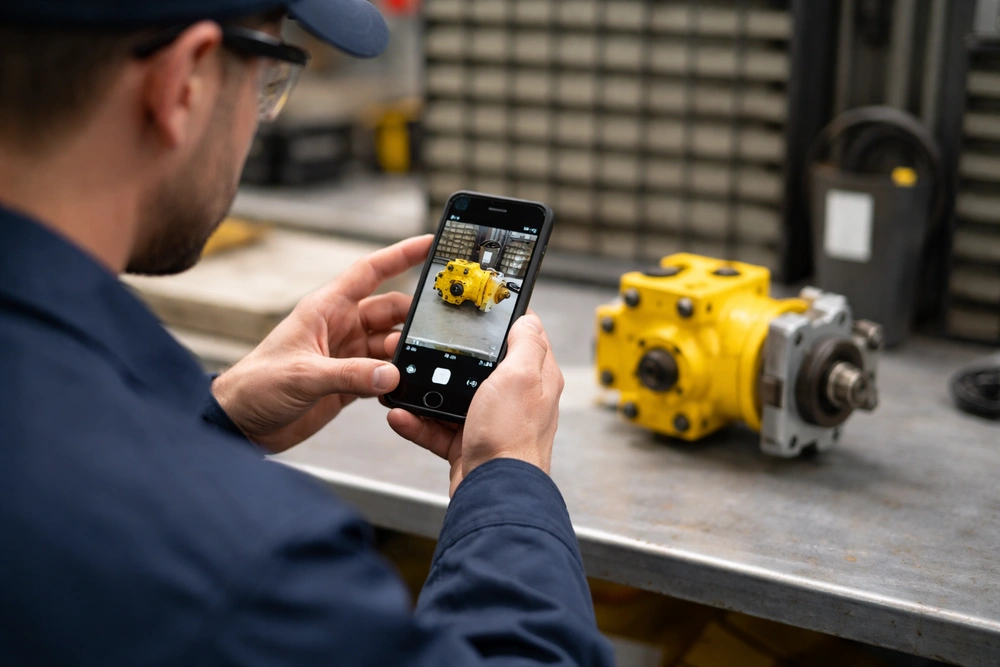
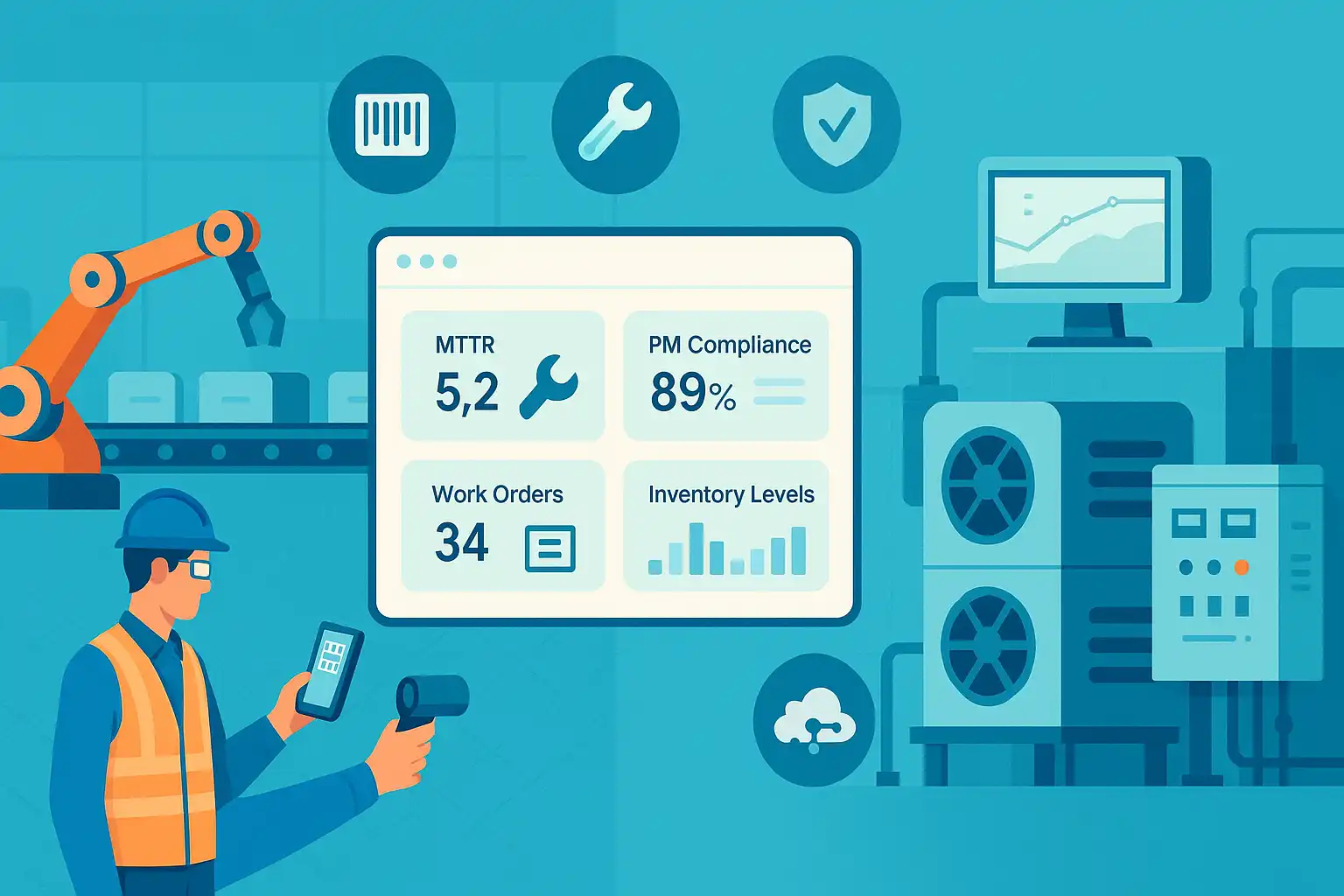
In today's fast-paced world, efficiency and productivity are crucial for any business. This is especially true for maintenance teams, vital to running operations smoothly.
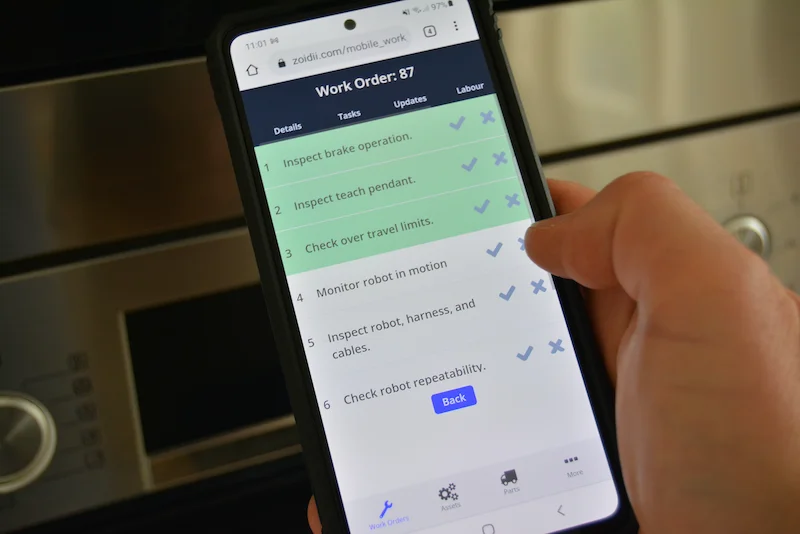
Mobile CMMS App: Empower Technicians Anywhere
One tool that has proven to be indispensable for these teams is a mobile CMMS app that works seamlessly with a comprehensive CMMS (Computerized Maintenance Management System).
By integrating the power of mobile technology, providing access anytime, anywhere, with a comprehensive CMMS, maintenance teams can enhance their productivity in numerous ways, which we will cover.
Enhancing Team Communication with Mobile Tools
Effective teamwork and communication are the foundation of any successful maintenance operation. Up-to-date mobile tools enable maintenance teams to stay connected and respond in real-time.
With a mobile-enabled CMMS, your team can collaborate seamlessly on a centralized platform.
Everyone gets instant access to work orders, equipment details, and real-time updates, so you’re always on the same page and ready to handle changing needs fast.
Think about a maintenance team in a large manufacturing facility. In the past, You used to walk back to the office for every new work order. Now you get instant push alerts on your device.
Real-Time Updates and Push Notifications
With a mobile CMMS, technicians get instant work order notifications on their devices. Real-time updates streamline workflow and reduce miscommunication.
Another significant advantage is the ability to access equipment information on the spot. With a few taps, technicians can check maintenance history, manuals, and troubleshooting guides.
As work progresses, technicians update task status directly from the field. These updates sync instantly, keeping supervisors and teammates in the loop.
When everyone is informed, it’s easier to coordinate, solve problems, and make quick decisions.
Tired of chasing maintenance papers? Our app ditches the clipboard, so you can focus on the fix. Everything is electronic, reducing errors and capturing accurate information every time.
Technicians can document their work on the go by taking photos of completed tasks, add quick notes, and get signatures on the spot, so you never chase down missing info again.
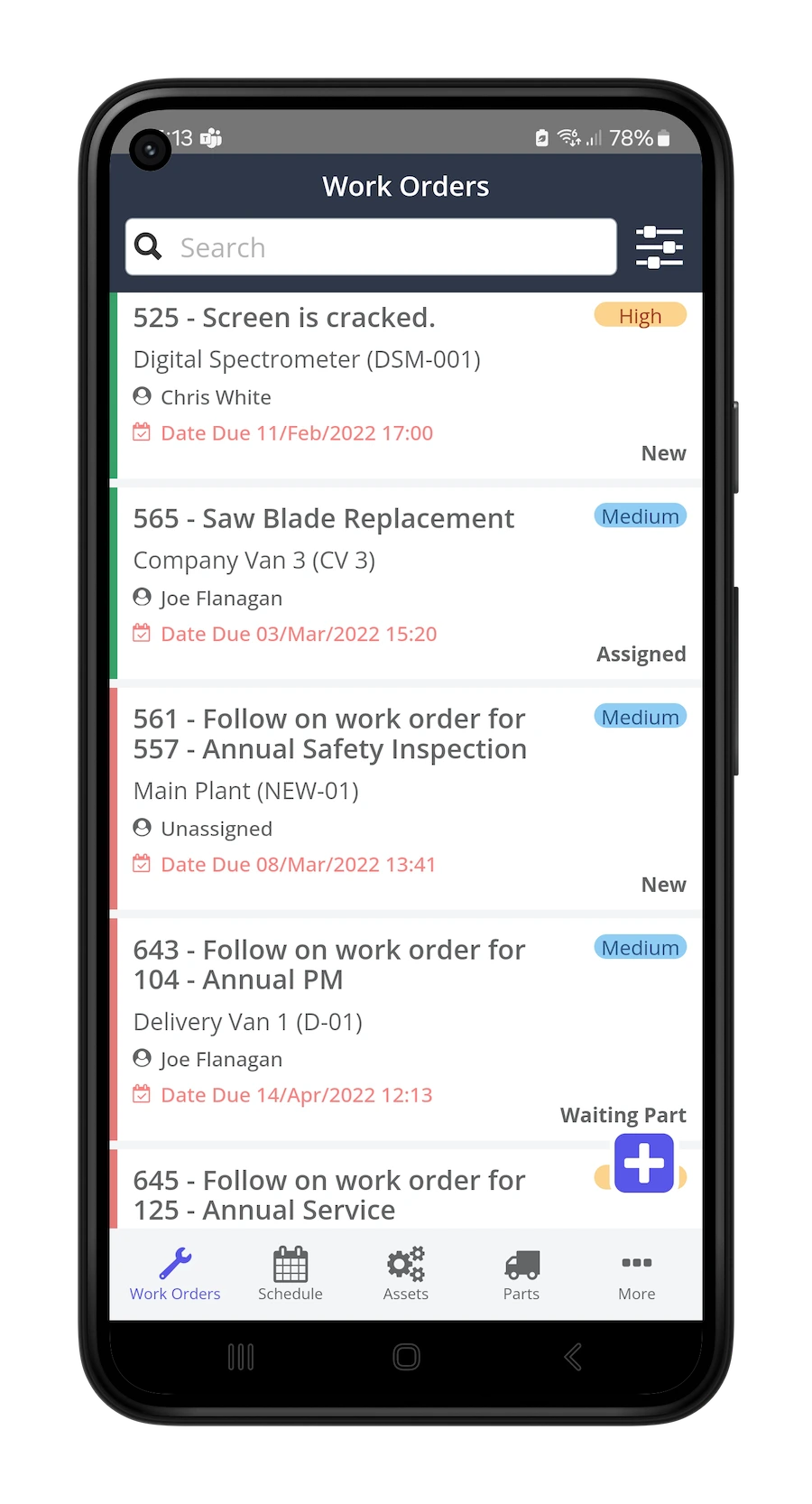
Mobile Asset Management and Tracking Features
Historical data is invaluable for equipment maintenance. A mobile-enabled CMMS puts this information at your fingertips.
Maintenance records, repair history, and performance trends are just a tap away. This helps technicians troubleshoot issues more quickly and make more informed decisions.
Easy access to maintenance history means teams can spot recurring issues and address them proactively, reducing breakdowns and minimizing downtime.
Imagine a scenario where you get called to fix a machine. In a paper-based system, you either rely on memory or sift through stacks of binders. That hunt can take hours, even days, leaving the machine idle and driving up downtime.
Mobile Asset Tracking and Barcode Scanning
With a mobile-enabled CMMS, the technician can open the app on their smartphone or tablet and access the equipment's maintenance history within seconds, using features such as barcode scanning that the CMMS offers to identify the asset quickly.
They can view past maintenance activities, including any repairs or replacements that have been made, as well as any recurring issues that have been reported. With this information, the technician can quickly diagnose the issue and take the necessary action.
A mobile-enabled CMMS also allows for efficient mobile asset tracking and helps maintenance teams monitor performance trends over time.
Mobile Inspections and Compliance Tracking
By analyzing the data, they can identify patterns or anomalies that may indicate potential problems.
For example, if a particular piece of equipment consistently requires frequent repairs or has a high failure rate, it may be a sign of underlying issues that need attention.
Preventive Maintenance Mobile Capabilities
Access to maintenance history also helps teams plan and schedule tasks, making the process more efficient with preventive maintenance tools.
By reviewing past maintenance activities, they can determine the optimal frequency for inspections, lubrication, and other preventive measures. This includes conducting mobile inspections with digital maintenance checklists and efficiently scheduling maintenance using mobile features.
This proactive approach, often managed through a maintenance schedule feature within the CMMS mobile app, helps extend the lifespan of equipment, reduces the risk of unexpected failures, supports compliance tracking with mobile CMMS, and minimizes downtime.
Having equipment maintenance history at your fingertips through a mobile-enabled CMMS makes a significant difference for maintenance teams.
It enables technicians to make better decisions, troubleshoot issues quickly, and proactively address potential failures.
By using historical data, maintenance professionals can minimize downtime, reduce costly breakdowns, and optimize equipment performance.
Mobile Work Order Management: Streamlining Field Operations
Gone are the days of carrying clipboards and stacks of paper.
With a mobile CMMS, technicians complete work orders digitally, streamlining documentation and reducing errors.
Imagine a maintenance technician, using a dedicated app for field service technicians, walking through a facility with a mobile device containing all the necessary information about the assigned work orders.
They no longer need to juggle multiple papers or worry about misplacing important documents. Instead, they can focus on the task and complete their work efficiently.
Adding notes and pictures directly through the mobile device also improves the accuracy and quality of maintenance reports. Technicians can capture images of equipment, record audio notes, and scan QR codes to retrieve asset IDs.
This detail enhances team communication and provides a comprehensive record for future reference, even when working offline.
Create and Assign Work Orders on Mobile
When technicians encounter a problem during maintenance rounds, they can instantly document it through the mobile CMMS and create work orders directly from their device. They can clearly clearly describe the issue, specifying its location, severity, and other relevant details.
This real-time reporting ensures that the problem is noticed and allows for prompt action, enabling supervisors to assign tasks to available technicians quickly using mobile tools.
Adding Notes, Pictures, and Audio via App
With your mobile CMMS, you get everything in one place:
- Snap photos of any damage. A clear image of a crack or leak shows exactly what’s wrong
- Attach pictures to work orders. Now your manager and team see the issue—no extra visits needed.
- Record voice notes when your hands are busy. Speak your observations instead of typing.
- Work offline and sync later. Capture photos, notes, and audio even without a signal.
Mobile CMMS Features for Inventory and Parts Management
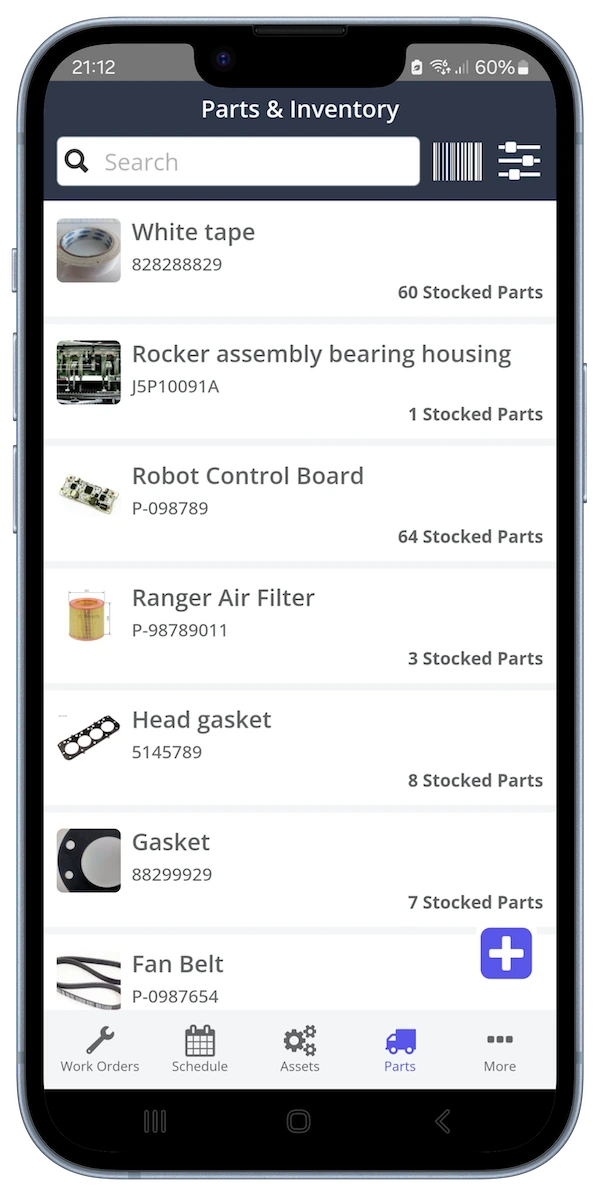
Spare parts management can often be time-consuming for maintenance teams. A mobile-enabled CMMS streamlines this process by allowing technicians to request parts directly from their mobile devices.
Request Parts and Manage Inventory Mobile
By accessing a centralized inventory database, technicians can quickly identify the required parts, check availability, and initiate the request process.
This process eliminates the need for manual paperwork, reduces the risk of errors, and improves inventory management.
With faster parts procurement, maintenance teams can complete unplanned maintenance tasks more efficiently, minimizing equipment downtime.
As businesses continue to look for ways to improve productivity and efficiency, a mobile-enabled CMMS is a key tool for maintenance teams, providing measurable improvements in technician productivity according to CMMS data.
By using the features of mobile technology and specific mobile CMMS functions, teams can enhance teamwork and communication, access equipment maintenance history, streamline work order completion, and simplify parts procurement.
Boost Maintenance Productivity with Zoidii Mobile CMMS Dashboard
Zoidii’s mobile CMMS app puts work orders, asset data, and a live dashboard right on your phone or tablet. Your team gets instant updates, supervisors stay informed, and maintenance runs smoothly, anytime, anywhere.
Ready to see Zoidii in action? Explore our site or contact us to learn more.