

A good maintenance program is rarely about heroics. It is about consistency, visibility, and control: knowing what assets you have, what condition they are in, what work needs to be done, and whether that work is actually getting done on time and to the right standard. A Computerized Maintenance Management System (CMMS) is the backbone that allows you to manage all of this at scale. Used well, it becomes far more than a digital filing cabinet for work orders. It becomes the operating system for your maintenance organization.
This article walks through how to leverage a CMMS to build and run an effective maintenance program, from the first implementation steps to advanced optimization. The focus is not on software features for their own sake, but on how to use those features to drive real-world reliability, safety, and cost control.
Understanding the Role of a CMMS
At its core, a CMMS is a database and workflow engine. It stores information about your assets, the work performed on them, the materials they require, and the people who maintain them. In addition to that data, it provides tools for scheduling preventive work, recording corrective work, tracking downtime, and reporting on performance.
What makes a CMMS powerful is that it ties all these pieces together. A pump is not just a name on a list. Inside the CMMS, it has a location, an asset tag, a bill of materials, inspection routines, failure history, and cost data. A work order is not just a task; it is linked to a specific asset, a technician, spare parts, and the time spent. When you capture this consistently, patterns start to emerge. You can see which assets are eating your budget, which sites are struggling with backlog, and where your preventive strategy is either working or failing. To truly leverage a CMMS, you have to think of it as the single source of truth for maintenance, and then design your processes so that everything important flows through it.
Laying the Foundation: Strategy Before Screens
The biggest mistake many organizations make is to “install software” without first clarifying what they want their maintenance program to achieve. A CMMS cannot decide for you whether you are primarily aiming for uptime, compliance, cost reduction, or a mix of all three. It can only help execute the strategy you set.
Before you configure a single field, take time to define the objectives of your maintenance program and how success will be measured for some operations, which might be a specific reduction in unplanned downtime. For others, it might be passing audits with zero findings or extending the life of high-value assets by a certain number of years. Write these objectives down and share them with your team. They will guide decisions about asset criticality, preventive maintenance frequencies, and the reports you prioritize.
Next, design your high-level processes. Decide how work enters the system, how it gets approved and assigned, what a “complete” work order looks like, how spare parts are requested and issued, and how information flows between maintenance, operations, and other departments. This process map becomes the blueprint you implement in the CMMS, rather than the other way around. Read more about work order management best practices for large orgs and SMB’s.
Building a Clean Asset Hierarchy
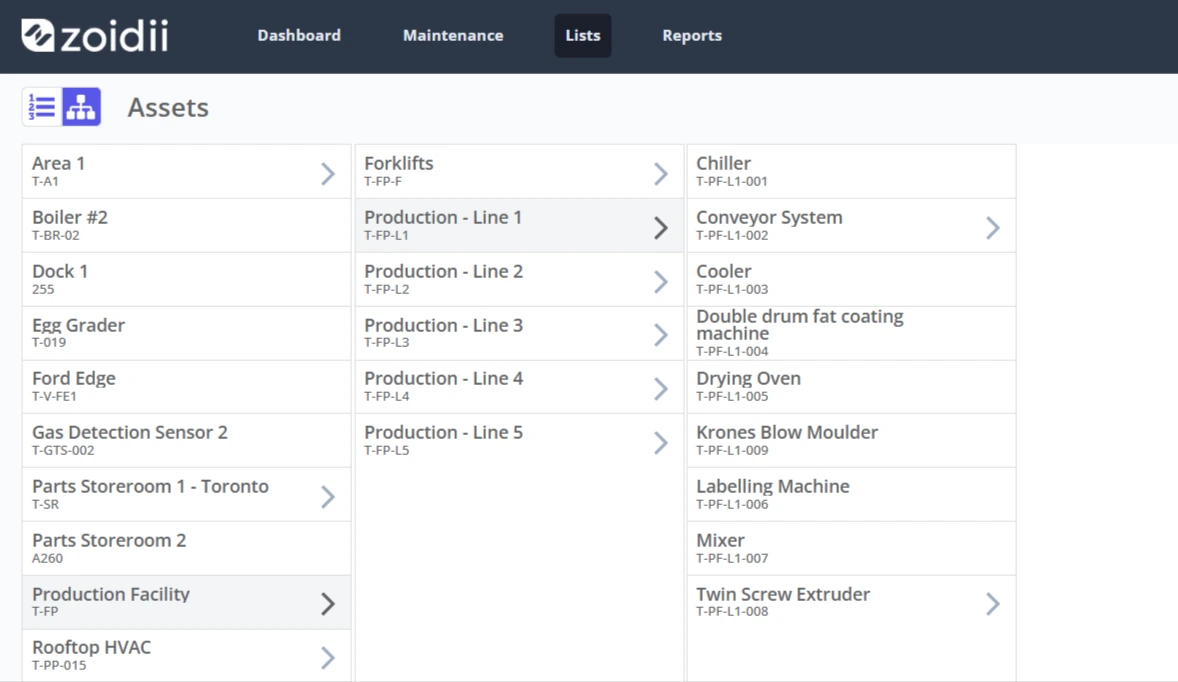
The asset register is the spine of your CMMS. If it is incomplete or poorly structured, everything else suffers. Leveraging a CMMS effectively means investing early in a well-organized asset hierarchy and maintaining its accuracy over time.
Start by deciding how you will structure your assets. Many organizations use a hierarchy that starts with site, then area or line, then equipment, and, where needed, components or subassemblies. The key is consistency and clarity. If one facility is organized by system and another by physical location, reports that compare performance across sites become difficult to interpret.
Each asset record should contain essential information: a clear name, unique tag, location, manufacturer and model, criticality rating, and any key specifications that affect maintenance tasks. Avoid the temptation to overload records with every possible detail at first. It is better to have a concise set of fields that are always filled in than a long list where half the information is missing.
Criticality rankings deserve special attention. These ratings help you focus preventive maintenance where it matters most and provide a rational basis for decisions when resources are limited. Whether you use a simple “high, medium, low” classification or a more detailed scoring model, store it in the CMMS and use it to prioritize work.
Once the initial asset data is loaded, develop a process for keeping it current. New equipment should not be put into service without a CMMS record, and decommissioned assets should be retired from the system. Treat asset accuracy as an ongoing discipline, not a one-time project.
Designing Preventive and Predictive Maintenance in the CMMS
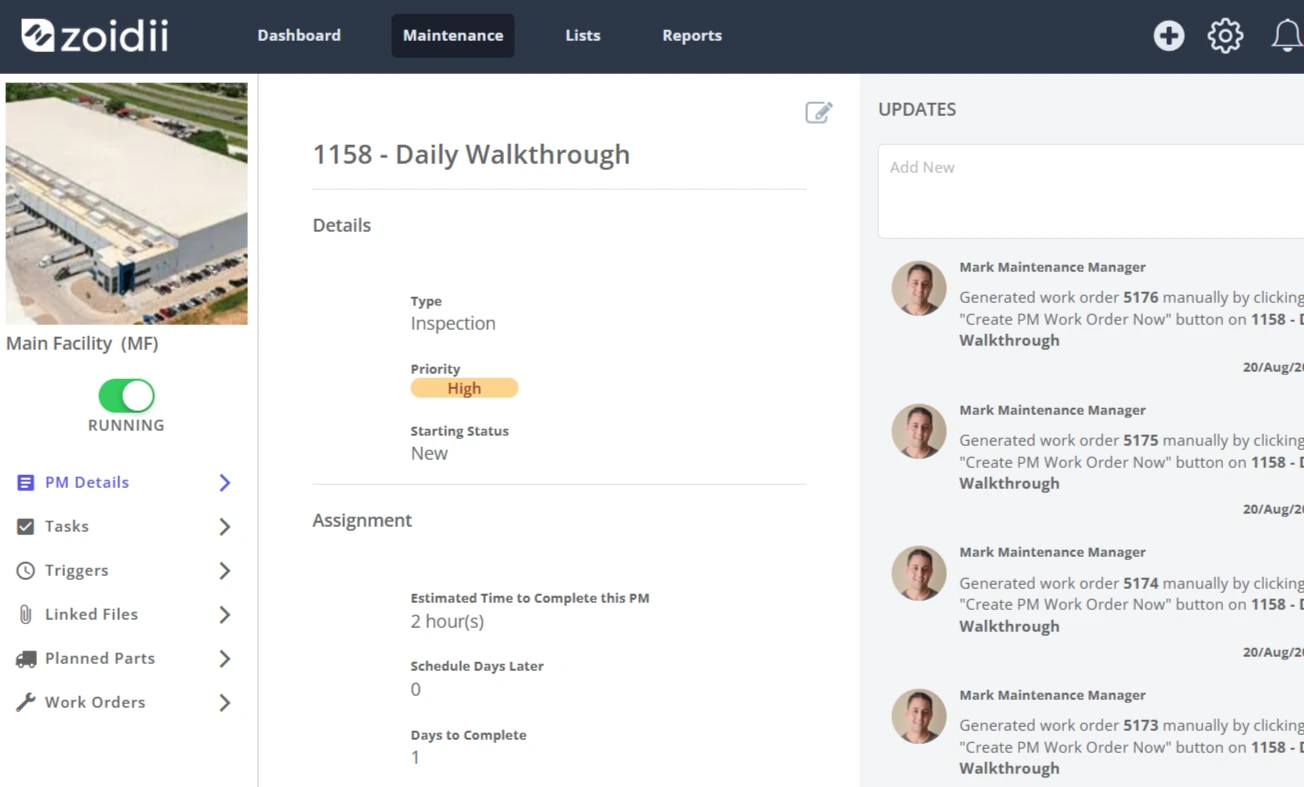
Preventive maintenance (PM) is where a CMMS starts to shift your program from reactive to proactive. Instead of relying solely on breakdowns to drive activity, you define recurring tasks tied to time, usage meters, or condition indicators.
To leverage the system effectively, start with your most critical assets and the tasks that most directly affect reliability and safety. For each PM, define a clear scope of work, realistic frequency, estimated duration, required skills, and any materials or tools needed. Store standard work instructions directly in the CMMS so that technicians see them on the work order, not in a separate binder or drive.
Avoid simply copying manufacturer recommendations without thought. Those recommendations are a starting point, but your operating context may be harsher or gentler than the assumptions. Over time, use CMMS history to refine frequencies. If an inspection has never found an issue in three years, consider extending the interval. If you see frequent failures between PMs, shorten the interval or improve the task content.
Predictive maintenance takes this a step further by using condition data to trigger work. Many modern CMMS platforms can accept readings from sensors, handheld inspection tools, or building management systems. You might set up rules so that high-vibration readings automatically create an inspection work order, or so that temperature trends trigger alerts before overheating occurs. Even without advanced sensors, you can start with simple condition-based fields, such as measured pressure, noise levels, or visual inspection results entered by technicians. The key is to have a structured way to capture and respond to those indicators.
Managing Work Orders and Backlog
Work management is where your CMMS touches day-to-day reality. The way you create, prioritize, assign, and close work orders largely determines whether the system helps or hinders your team.
All maintenance work should flow through the CMMS, whether it is planned, corrective, or emergency. Leveraging the CMMS for all work can be a culture shift for teams used to informal verbal requests, but it is vital for control and accountability. Most systems support simple request portals for operators and other departments, making it easy to log issues without requiring full CMMS access.
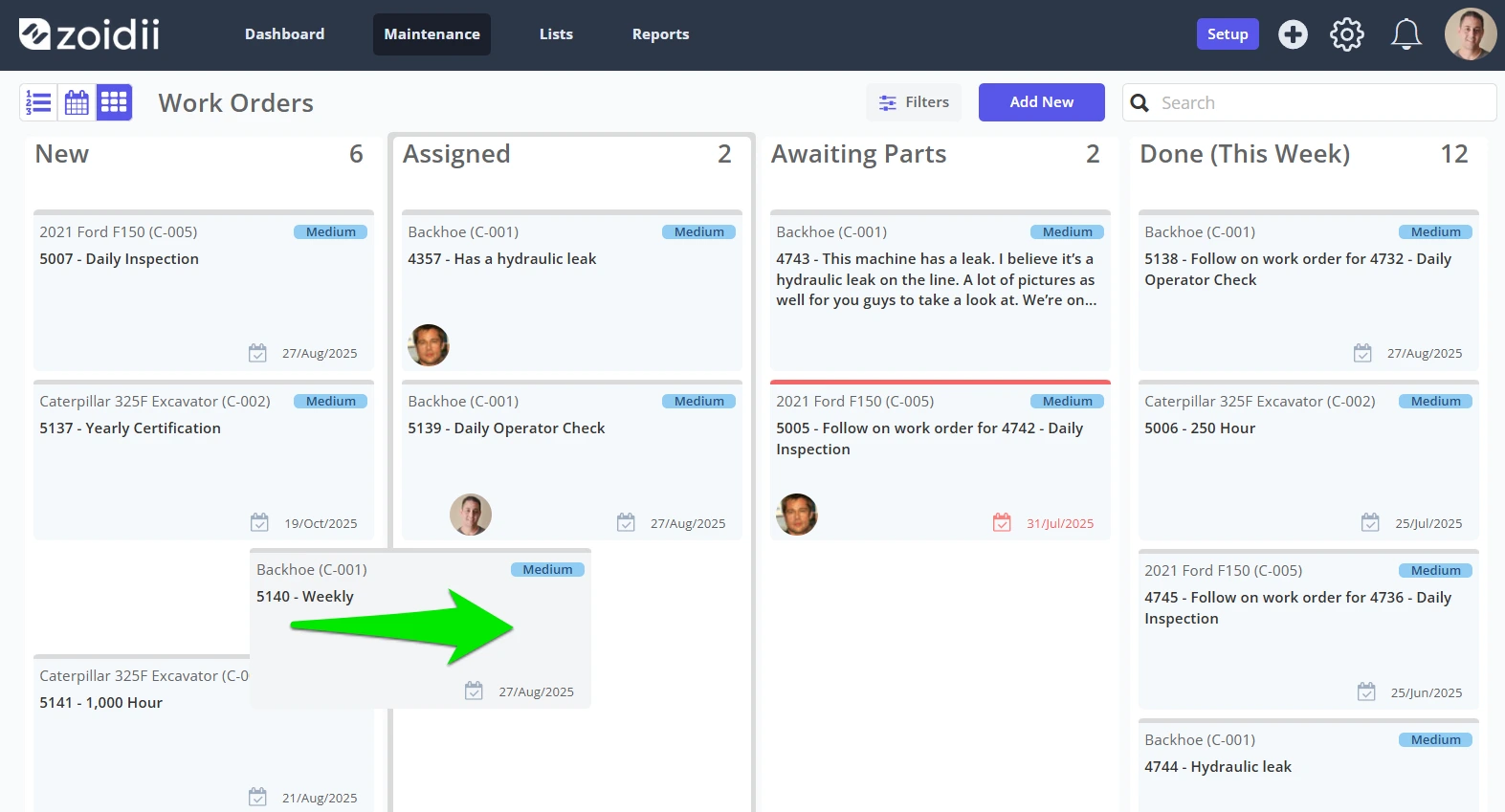
Once requests are in the system, planners or supervisors should review and classify them, set priorities, and convert them to work orders when appropriate. Use consistent priority definitions that link to response time expectations. A priority one job should be reserved for genuine emergencies affecting safety or critical production, not every minor annoyance.
Backlog management is another area where a CMMS shines. You should see how many hours of work are pending by maintenance type, by area, and by priority. This allows you to balance resources and avoid the trap of constantly chasing urgent breakdowns while important but less urgent tasks pile up. Weekly planning and scheduling meetings are more productive when everyone is looking at the same data, rather than debating whose spreadsheet is correct.
When technicians execute work, encourage them to update the work order directly, ideally through a mobile app. Capturing accurate labor hours, failure codes, parts used, and notes is essential. That information fuels root-cause analysis and later reliability improvements. Many organizations find it helpful to define a minimal “data quality standard” for completed work orders and to coach technicians until this becomes a habit.
Controlling Parts, Materials, and Costs
An effective maintenance program is as much about having the right part at the right time as it is about skilled labor. A CMMS helps here by linking assets and work orders to inventory and purchasing.
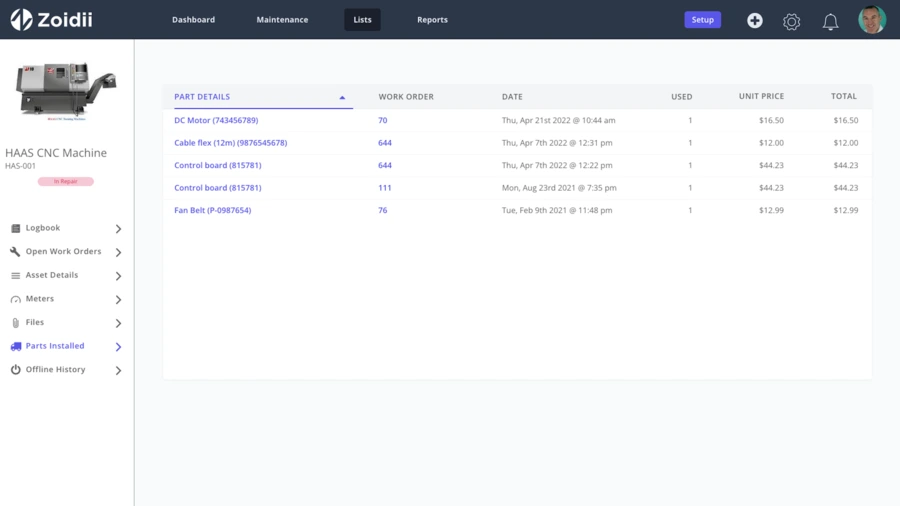
Begin by building a parts catalog that avoids duplicates and uses clear, searchable naming. Link critical spares to the assets that use them and to bills of materials. This way, when a technician opens a work order, they can see which parts are typically needed and whether they are in stock. Over time, you can analyze which items are consumed most often and adjust min/max levels accordingly.
Integrating inventory with work management allows you to capture the true cost of maintenance. When parts are issued to a work order, the CMMS records the cost against the asset and the type of work. This builds a picture of life-cycle costs and helps justify replacement decisions. It also shines a light on waste, such as excessive expediting fees or obsolete stock that goes unused.
On the purchasing side, many CMMS platforms can generate purchase requisitions when stock falls below a threshold or when a specific job is planned. Even if you rely on an external ERP system for financial controls, connecting the two ensures that maintenance needs are visible in the broader procurement process. The goal is not to centralize everything in a single system at all costs, but to ensure reliable data flow between systems so that no one is surprised by a missing part or an unexpected invoice.
Using Data and KPIs to Drive Improvement
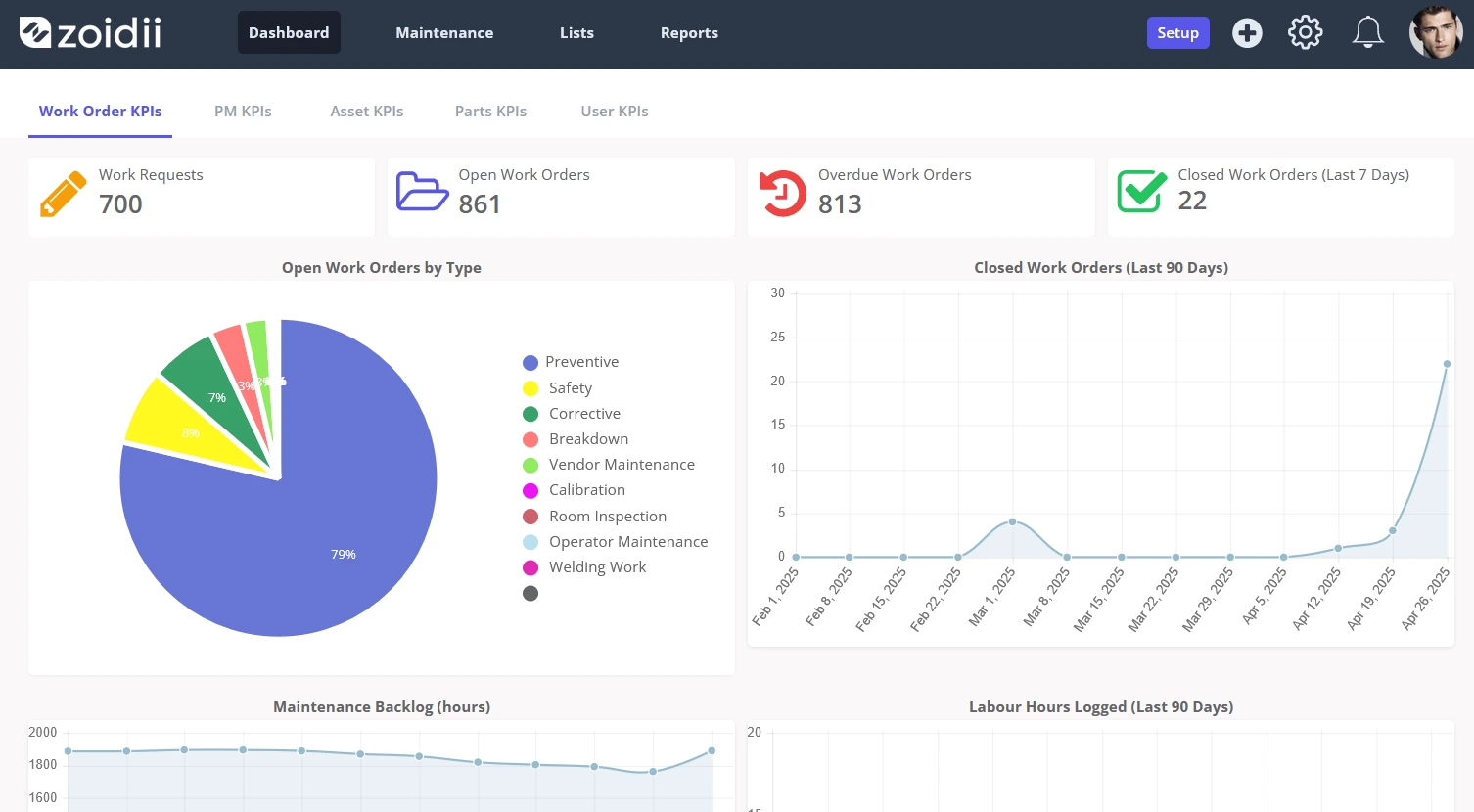
One of the greatest strengths of a CMMS is the ability to transform raw activity into insight. However, it is easy to drown in reports that look impressive but fail to drive action. The key is to pick a small set of meaningful indicators tied to your strategic goals and to review them regularly.
Common measures include preventive compliance (the percentage of planned work completed on time), mean time between failures, maintenance cost as a percentage of asset replacement value, and backlog age. In a safety- or compliance-focused environment, you may also track completion of regulatory inspections and overdue critical tasks. For reliability-focused sites, downtime by asset and failure mode becomes more important.
The CMMS should allow drilling into these indicators. If preventive compliance is low, you should be able to see which crafts, areas, or supervisors are struggling, and whether the problem is unrealistic schedules, frequent emergency interruptions, or something else. If one asset has extraordinary downtime, the work history should reveal whether it is the same component failing repeatedly, a design issue, or an operational misuse. Over time, use the data to support structured improvement efforts such as root cause analysis, reliability-centered maintenance reviews, or spare parts optimization. In this related article, we cover 8 spare parts tips that actually work. The CMMS serves as both evidence and the way you track follow-up actions. When you make a change - such as adjusting a PM frequency or upgrading a troublesome component - record it in the system so its impact can be evaluated later.
Empowering the Front Line with Mobile CMMS
A maintenance program lives or dies in the field. If technicians find the CMMS clumsy or irrelevant, they will work around it, and your carefully designed processes will erode. Mobile access is one of the most practical ways to make the system work for the people doing the work.
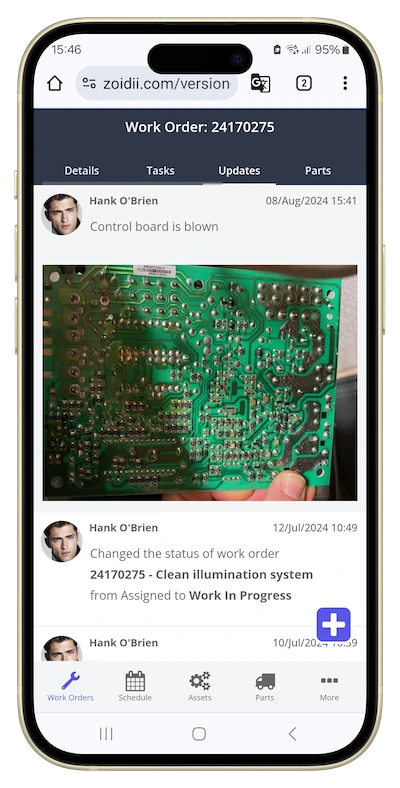
A good mobile CMMS app lets technicians receive assignments, view asset histories and documentation, log labor, capture readings, attach photos, and close work orders without returning to a desk. A good mobile app reduces paperwork time and increases the likelihood that information is recorded accurately while the job is still fresh in mind.
Mobile tools also support standardization. Step-by-step instructions, checklists, and safety notes can be embedded in the work order to ensure critical steps are not forgotten. When used consistently, this builds a culture in which “the way we work” is clearly documented and visible, which is especially valuable when onboarding new staff or managing turnover. To get the most from mobile tools, involve technicians in pilot testing and ask for honest feedback. Small adjustments - such as reorganizing fields, shortening forms, or optimizing fonts and contrast - can make the difference between an app that feels like a burden and one that feels like a helpful companion.
Integrating the CMMS with the Wider Business
Maintenance does not operate in a vacuum. Its effectiveness is closely tied to production scheduling, capital planning, energy management, and safety. When the CMMS is integrated with other systems, the maintenance program becomes more aligned with the broader business.
For example, linking maintenance schedules with production planning helps you choose windows of opportunity that minimize lost throughput. Connecting downtime logs with manufacturing execution systems allows you to quantify exactly how much output was lost due to specific failures. Integration with building management or SCADA systems brings alarms and operational data into the same environment where work decisions are made. For leadership, this integration translates maintenance language into business language. Instead of reporting that you completed a certain number of work orders, you can show how your preventive program reduced production losses, extended asset life, or supported compliance. This builds credibility and helps secure ongoing support for maintenance initiatives.
Implementation, Change Management, and Culture
Even the most feature-rich CMMS will fail if people do not use it. Successful implementation is as much about change management and culture as it is about configuration.
Start by explaining the “why” behind the system to everyone affected, from technicians to production supervisors and management. Emphasize how it will help them personally: fewer surprises, clearer priorities, better support for resource requests, and less time wasted on duplicate paperwork. This related article covers 8 ways CMMS software benefits the end user.
Provide practical, hands-on training using real examples from your plant, not generic demo data. Follow up with coaching, especially in the early months. Supervisors play a key role here; if they consistently review and act on CMMS data in meetings, people quickly understand that the system matters.
Be prepared to adapt. As users gain experience, they will spot ways to streamline forms, clarify codes, and improve workflows. Treat the CMMS as a living system that evolves with the organization. Regularly review whether it still reflects how you truly work, and adjust as needed. Finally, celebrate wins that the system enables. When a predictive alert prevents a major failure or when data supports a successful capital request, tell that story and explicitly connect it to the way you are using the CMMS. This reinforces the idea that good data and disciplined use are worth the effort.
Moving Toward a Mature, Effective Maintenance Program
Leveraging a CMMS to run an effective maintenance program is not a one-time project. It is an ongoing journey from chaos to control, from firefighting to foresight. Early stages focus on getting assets and work orders into the system and building basic preventive routines. As the program matures, attention shifts to optimizing schedules, integrating condition data, refining inventory, and using analytics for continuous improvement.
The payoff is a maintenance function that is visible, predictable, and aligned with business goals. Technicians spend more time on planned work and less on crisis response. Management has reliable information to make budget and capital decisions. Operators see maintenance as a partner rather than an obstacle. Embracing a CMMS is an ongoing journey that requires commitment, collaboration, and continuous improvement. However, the rewards—a streamlined maintenance process, enhanced asset longevity, and significant cost savings—make it well worth the effort.
Get started by scheduling a call with the Zoidii CMMS Team today!



