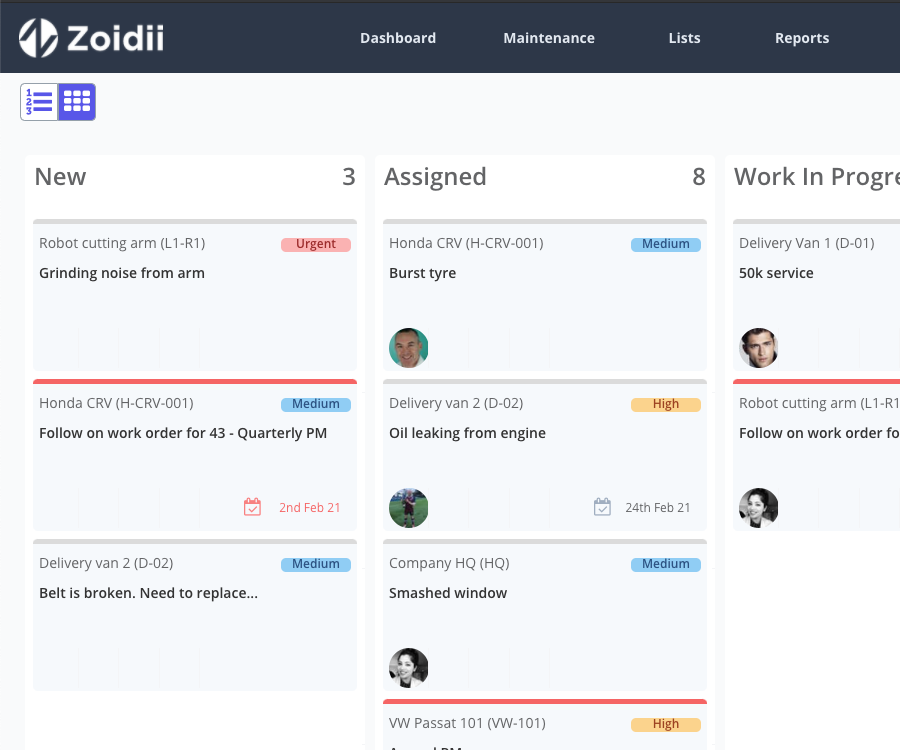
Work orders are the backbone of reliable maintenance. They turn vague complaints (“it’s making a weird noise”) into clear, trackable instructions (“inspect gearbox; check oil level; measure vibration; replace bearing if RMS > 7 mm/s”).
When done well, work orders decrease downtime, reduce risk, and create the historical data you need to plan smarter.
This guide walks through the essentials: what work orders are, common types, the end-to-end lifecycle, practical best practices (including standardized operating procedures), scheduling tips, and how a modern CMMS helps you manage it all.
Key Takeaways
- Work orders (WOs) convert requests into scoped, approved, and trackable maintenance jobs that boost uptime, safety, and compliance.
- A disciplined lifecycle—intake, triage, planning, scheduling, execution, close-out, and review—prevents chaos and creates reliable data.
- Standardized operating procedures (SOPs) and strong close-out requirements (readings, failure codes) turn WOs into a learning system.
- Planning & scheduling win the day: plan before scheduling, kit parts, bundle work, protect 10–20% capacity for break-ins, and set a frozen weekly horizon.
- A modern CMMS accelerates intake, planning, dispatch, mobile execution, compliance, and analytics—and integrates with IoT, ERP, and EHS.
1. What Is a Work Order?
A work order (WO) is an approved instruction to perform maintenance on an asset, location, or system. It documents what to do, why it matters, where to do it, who will do it, and when it should happen. Work orders provide the structure that lets teams:
- Prioritize tasks by business risk rather than who yells loudest
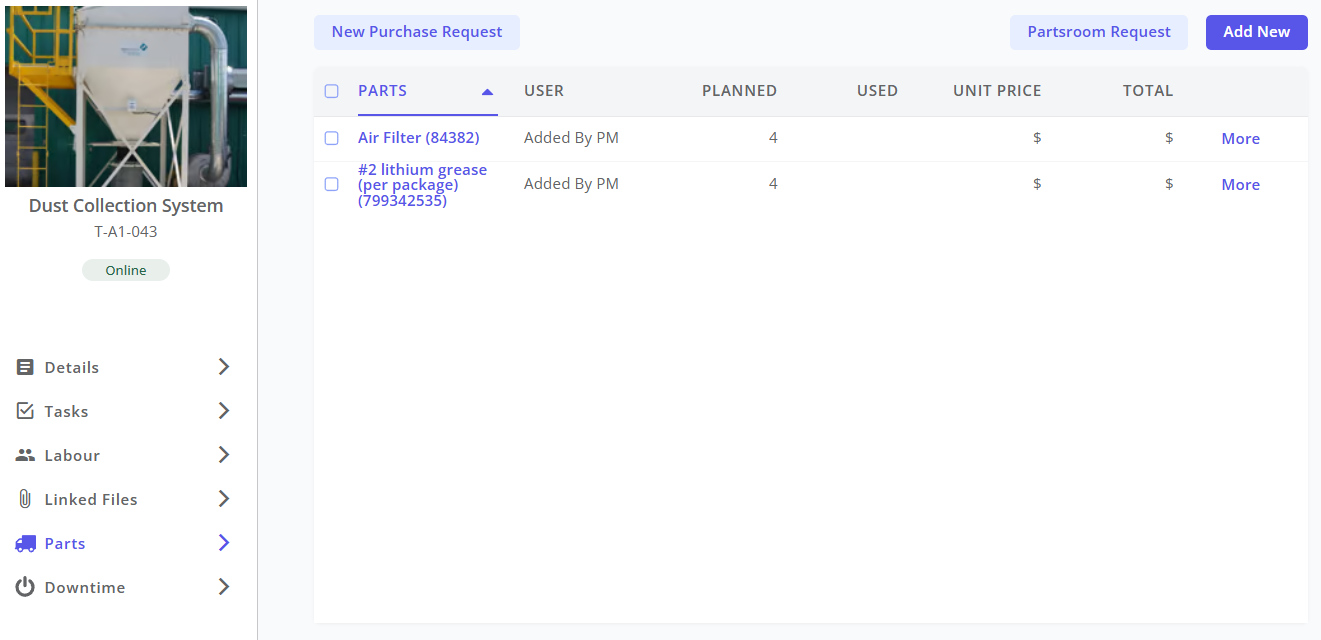
- Plan labor, tools, and parts before the technician arrives
- Capture costs, time, and readings for continuous improvement
- Prove compliance with safety and regulatory requirements
2. Common Work Order Types
Most maintenance groups run a portfolio of work order types to balance risk, cost, and asset reliability.
- Corrective (Reactive): Fix something that has failed or is about to. Example: replace a leaking seal, realign a motor.
- Preventive (PM): Recurring, scheduled tasks based on time, usage, or cycles. Example: quarterly HVAC filter changes; annual belt inspections.
- Predictive / Condition-Based: Triggered by data (sensors, oil analysis, vibration) or inspection findings that exceed thresholds. Example: vibration alert spawns a bearing-replacement WO.
- Inspection / Rounds: Visual or instrumented checks with pass/fail and numeric readings; may spawn follow-up corrective WOs.
- Safety & Compliance: Permits, calibrations, statutory inspections (elevators, pressure vessels), certifications, and audits.
- Improvement / Project: Upgrades, retrofits, or reliability enhancements (add guards, reroute conduit).
- Emergency: Immediate safety or environmental risk or critical production impact; executed ASAP under controlled conditions.
3. The Lifecycle of a Work Order
A disciplined lifecycle ensures transparency, speed, and quality.
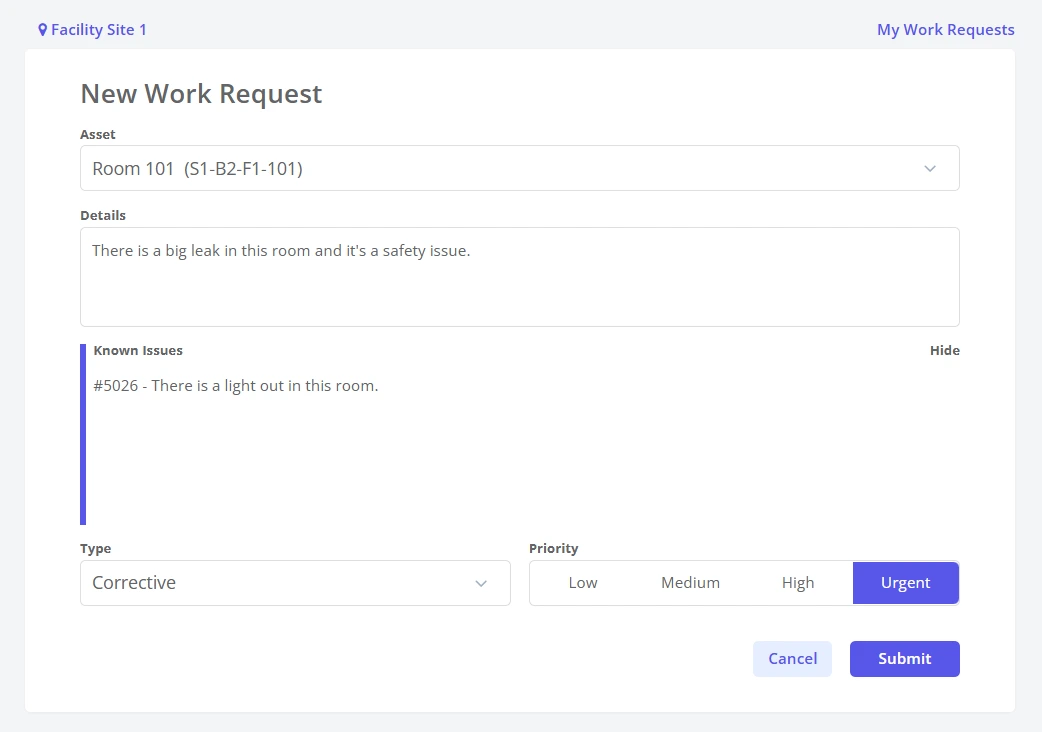
1. Request & Intake Operators, production leads, or building occupants raise a request. Minimum intake data includes asset/location, symptoms (such as sounds, alarms, and error codes), impact (on safety, quality, and downtime), and contact information.
2. Triage & Approval Maintenance screens for duplicates verify the problem and decide whether to reject, defer, or convert to a WO. Adjust priority, type, and preliminary risk flags if needed.
3. Planning Planners define the scope: tasks, parts, tools, permits, estimated labor, and acceptance criteria. Good planning removes ambiguity, allowing any qualified tech to execute the job consistently.
4. Scheduling & Assignment Put the work order into a time slot based on priority, resource availability, and production windows. Assign a lead tech and crew, and kit parts in advance.
5. Execution Technicians perform the work, record time, capture as-found/as-left readings, add photos, and log parts used. Safety steps (LOTO, confined space) are followed and documented.
6. Quality Check & Close-Out (Optional) Supervisor verifies completion against acceptance criteria (e.g., vibration below threshold), documents failure codes/root cause, and closes the work order. Follow-up actions (e.g., redesign, RCA) are spawned if needed.
7. Review & Analysis Data feeds KPIs: schedule compliance, MTTR, PM compliance, asset costs. Trends inform PM program changes and spare-parts strategies.
4. Best Practices When Creating a Work Order
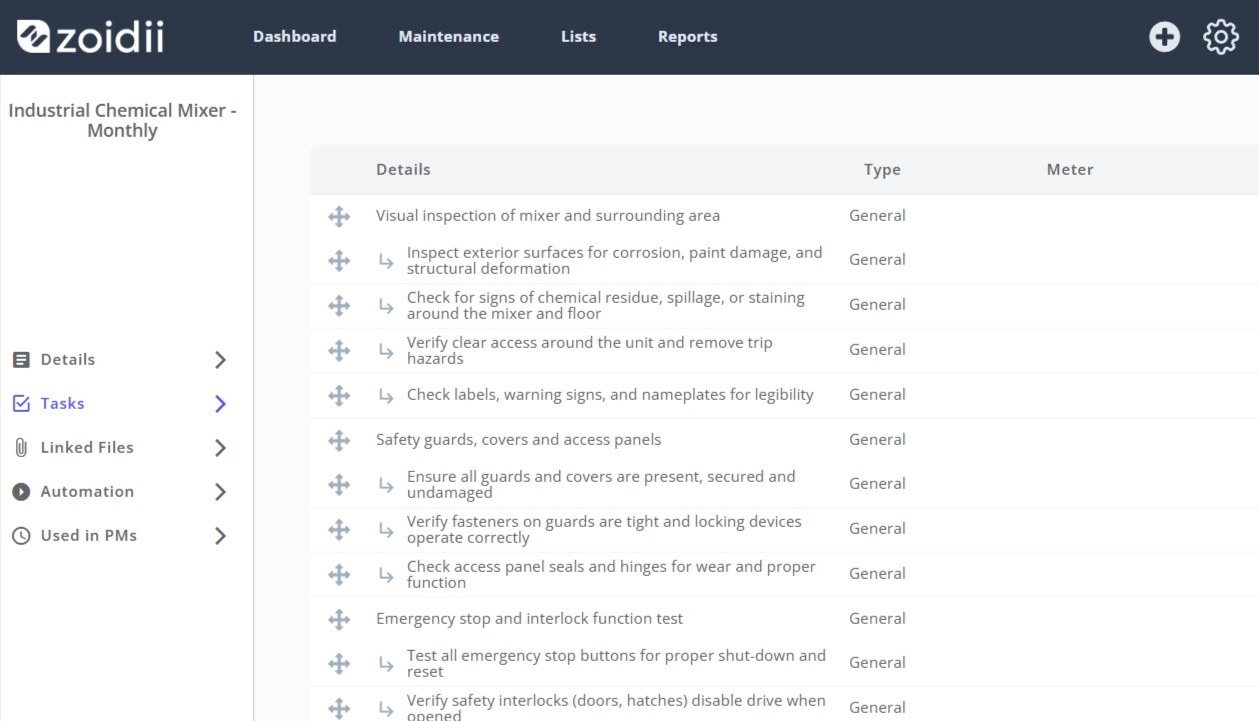
Create clear, standardized operating procedures (SOPs)
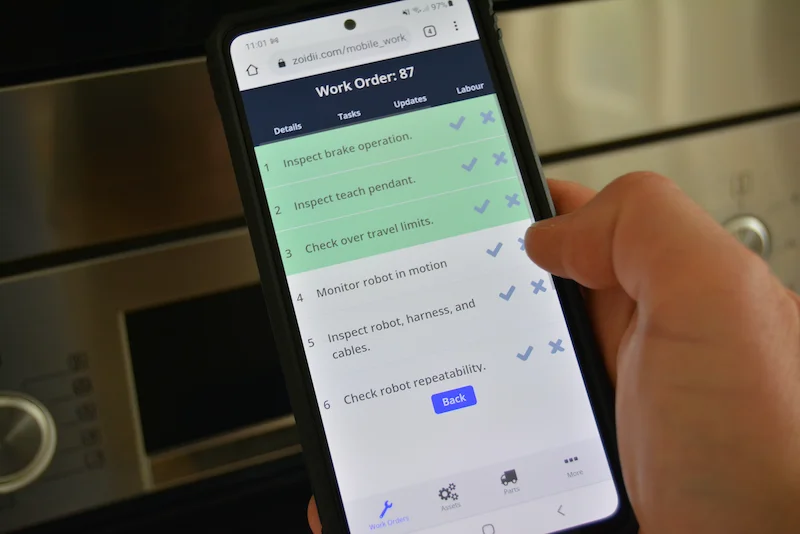
SOPs translate expertise into repeatable steps. For recurring jobs, attach an SOP—or make it the job plan—inside the WO. An effective SOP includes:- Required skills & PPE: Certifications, tools, and safety equipment.
- Numbered steps: Concise, action-oriented instructions with torque specs, tolerances, and photos/diagrams.
- Decision points: If X > threshold, do Y
- Acceptance criteria: What “good” looks like (e.g., differential pressure < 150 Pa).
- Documentation fields: Readings to capture; comments on reason for failure, e-signatures.
Write problem statements like a pro
Vague in → vague out. Train requesters to report symptoms, not diagnoses. Replace “pump is bad” with “pump cavitates at 2,200 L/min, suction pressure fluctuates ±0.6 bar, started 2025-09-14 after CIP.”Use a risk-based priority matrix
Prioritize by impact × likelihood, not by who’s asking. Define what constitutes Urgent, High, Medium, and Low. Tie each to target response/repair times and enforce them.Kitting and staging
Pre-assemble parts, permits, and special tools for each work order. Kitting can easily add 10–20 percentage points to wrench time by minimizing idle and hunt time. This related article outlines 5 other ways to increase wrench time.Feedback loop
Planners should review a sample of closed work orders weekly to improve job plans and SOPs. Recognize technicians who write excellent notes—make their work orders exemplars in training.For more information, see our best practices article when creating a work request in Zoidii.
5. Planning & Scheduling Best Practices
Plan before you schedule
A half-planned job on the calendar turns into a three-hour headache. A fully planned job often finishes early. Ensure every scheduled work order includes: scope, parts list (with substitutions), tools, safety steps, acceptance criteria, and estimated hours.Bundle and sequence work
Group work by asset and location to reduce travel and changeovers. Sequence tasks logically (isolation → mechanical → electrical → verification). When a line is down, opportunistically execute adjacent PMs and inspections.Protective capacity and a “frozen” horizon
Reserve 10–20% of crew time for unavoidable breakdowns. Lock the coming week’s schedule by mid-week (“frozen week”). Any changes require supervisor approval to avoid churn.Use calendars that respect production
Jointly plan downtime with operations. If you share a single source of truth for planned outages, you’ll avoid last-minute conflicts that tank schedule compliance.Define measurable acceptance criteria
Every planned job needs a clear end. Examples:- Conveyor belt tension within OEM range; track straightness verified with a string line.
- Motor bearing temperature ≤ 70°C after 30 minutes at nominal load.
- ΔP across filter < 150 Pa and coil face velocity within spec.
Track the right KPIs
- Schedule Compliance: % of WOs completed in the scheduled window (target ≥ 80%).
- Planned Maintenance Percentage (PMP): Planned labor ÷ total labor (aim 70–90%).
- Emergency Work %: Lower is better (<10% indicates stable operations).
- MTTR & MTBF: Utilize WO timestamps and downtime tracking for accurate results.
6. How a CMMS Can Help You Best Manage Work Orders
A Computerized Maintenance Management System (CMMS) is your work-order command center. The right platform streamlines the work order lifecycle, improves data quality, and surfaces insights.
Intake & triage
- Self-service portals & QR codes: Requesters scan a QR code, submit symptoms, photos, and urgency.
- Auto-routing & approvals: Requests flow to the right approver.
- Duplicate detection: Flags similar open requests to reduce noise.
Planning tools
- Job plan libraries & SOP versioning: Reuse proven plans; track revisions and attach drawings, torque charts, and LOTO steps.
- Parts availability & reservations: Check stock in real time; auto-apply to the work order; suggest substitutes.
- Estimated labor & skills matching: Assign the right tech with the right certifications.
Scheduling & dispatch
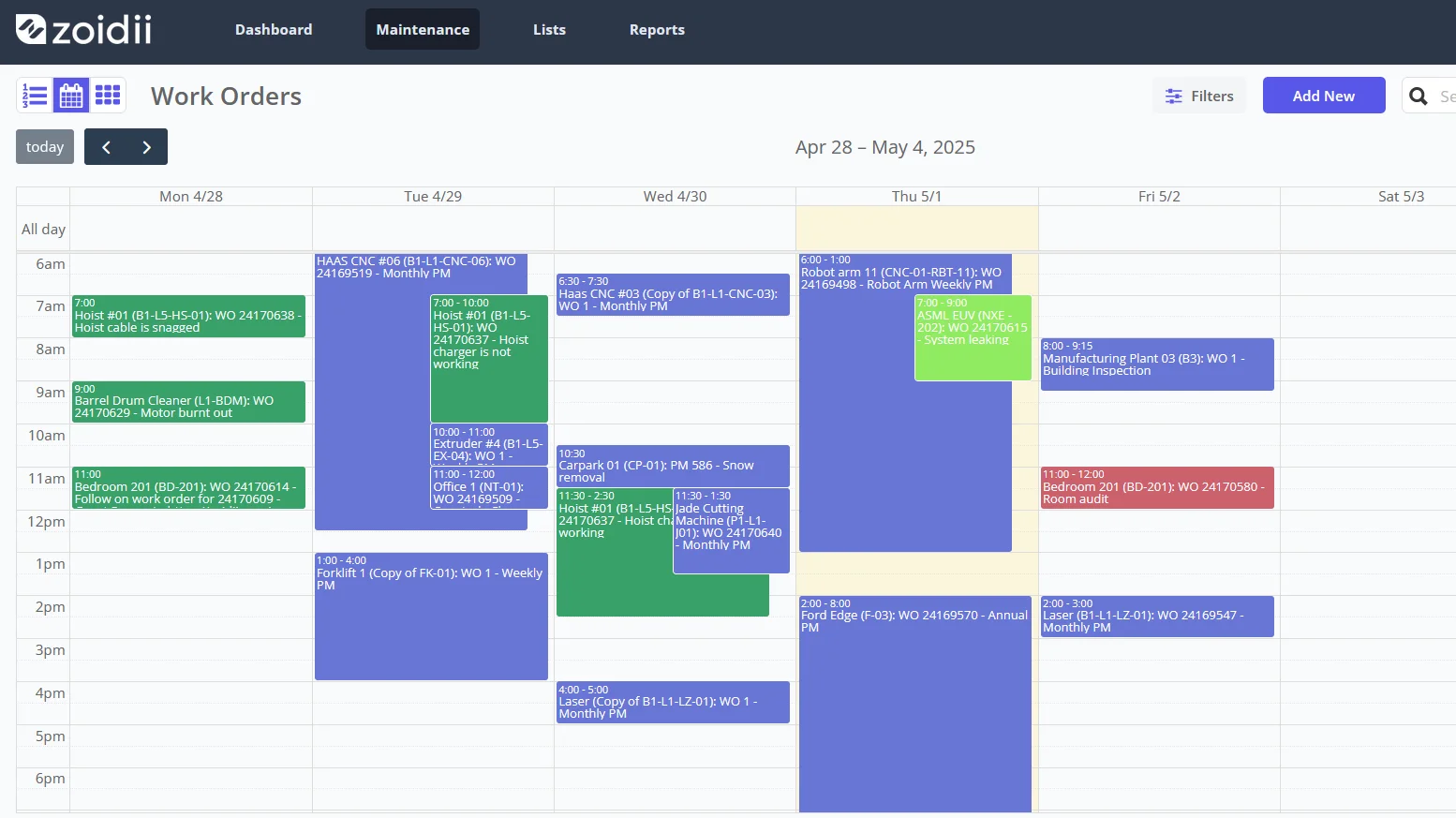
- Drag-and-drop schedules and Gantt views: Visualize crew workload, planned downtime, and conflicts. It’s recommended to use a digital planning board or work order scheduler.
- Mobile assignments: Push jobs to technicians’ mobile devices.
Execution on mobile
- QR scanning: Instant asset and part lookup.
- Photo, audio, and meter capture: High-quality evidence and structured readings.
- Digital signatures & permits: Capture LOTO, hot work, confined space permits in the WO.
- Voice-to-text notes: Faster, richer diagnostics without slowing the tech.
Close-out & compliance
- Mandatory fields & validation: Ensure failure codes, readings, and parts are recorded before close.
- Audit trails: Immutable histories with timestamps and user IDs for regulated industries.
- Calibration modules: Link standards and store certificates; auto-set next due dates.
Analytics & optimization
- Dashboards: PMP, schedule compliance, emergency %, backlog age, and cost by asset.
- RCA support: Pull failure histories and readings for the bad actors list.
- PM optimization: Use actual failure and condition data to shift tasks from time-based to condition-based.
- Inventory optimization: Consumption history informs min/max, lead times, and critical-spares lists.
Work Order FAQs
Q1: What’s the difference between a work request and a work order? A work request is an unvetted notification of a need or problem. After triage and approval, it becomes a work order with scope, priority, and accountability.
Q2: Which work order type should I choose? Use your taxonomy: corrective for failures, preventive for time/usage-based tasks, predictive for data-triggered actions, inspection for rounds, safety/compliance for regulated tasks, improvement for upgrades, and emergency for immediate risks.
Q3: What belongs in a well-formed work order? Clear problem statement, asset/location, tasks, safety/permits, parts/tools, labor estimates, attachments, measurable acceptance criteria, and required close-out fields (readings, failure/cause codes).
Q4: How can SOPs improve outcomes? SOPs standardize steps and decisions, reducing variability and rework. Keep them version-controlled and attach them to WOs so any qualified tech can execute consistently.
Q5: How does a CMMS help day-to-day? It streamlines intake, planning, scheduling, dispatch, mobile execution, and close-out; enforces data quality; and provides analytics.
Q6: Paper or mobile? Mobile wins on speed and data quality, offering features like QR code scans, photos, offline access, digital signatures, and structured readings. Paper loses history and accuracy.
Q7: How long should we retain work order records? Keep at least the period required by regulation or warranty; many teams retain 3–7 years (or longer for highly regulated assets) to support audits, RCAs, and lifecycle decisions.
Final thought:
Great maintenance is quiet and predictable. With clear SOPs, disciplined planning and scheduling, and a CMMS that reinforces good habits, work orders become more than paperwork—they become your engine for safer operations, higher uptime, and lower total cost of ownership.